
Guide
How to play WARDOGS: your first hour without losing your $10,000
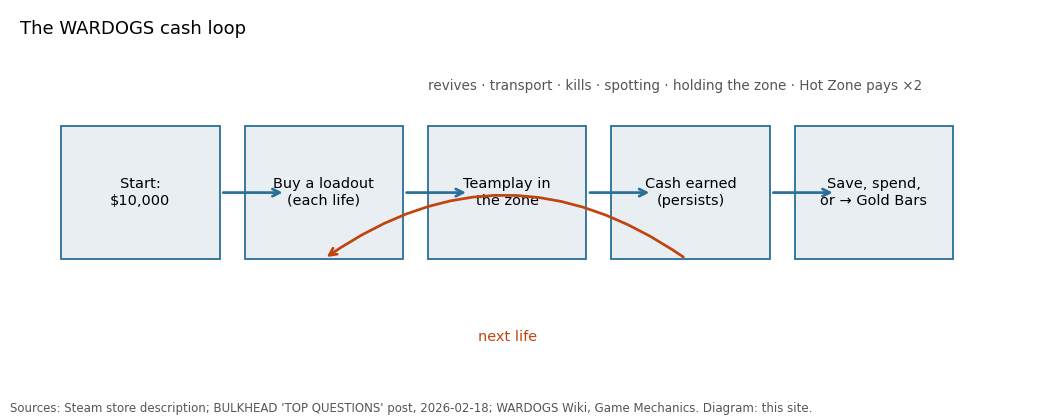
How to play WARDOGS is a different question from how to play most shooters, because the thing you can lose is not a life but a bank balance. You spawn with $10,000. Each life you buy a loadout. Die with a full kit and the money is gone; the next life starts poorer. Steam's achievement statistics on 13 September 2026 — three days after launch — show that 72.7% of players had finished the tutorial but only 9.1% had ever made $100,000 profit in a single life, which is a fair picture of how the first hours go.
This guide is written for that first hour. It uses what BULKHEAD has published (the Steam listing, the February 2026 FAQ, the Season 1 changelog), what the official wiki documents, and the practical detail in PCGamesN's launch-week guides. Where a step is not described by any of those, we say so rather than invent it.
Before you buy: what you are getting
WARDOGS is $39.99 on Steam, Windows only, Early Access since 10 September 2026, 50 GB on disk. BULKHEAD spent the run-up to launch telling people why they might not want it: a devlog literally titled '10 Reasons NOT to Buy WARDOGS' covered 'our early access strategy, stair stepped pricing and long-term monetisation plans'. The studio's pre-order post adds: 'we encourage you to try out the game and refund if the game doesn't live up to your expectations.' Take that at face value — Steam's refund window is two hours of play.
Two hardware facts before the download. The minimum spec targets '1080p Low @ 60fps (Upscaled)' on a GTX 1660 or RX 590 with 16 GB of RAM. And the game runs anti-cheat that, per the enforcement policy on wardogs.com, monitors 'applications running on your machine during gameplay' and validates 'that the game and your hardware haven't been tampered with'. Linux is not supported; BULKHEAD asked Linux buyers to refund.
Refunds, Family Sharing and the one optional purchase
Three store facts matter before the first match. The Steam listing carries the Family Sharing category, so a household can share one copy under Steam's usual rules (one player at a time). The only DLC is the $12.99 Supporter Pack — three faction weapon camos (a Valkyra A-91, a Lonestar Bushmaster, a Manticore KH-2002), a Little Bird 'Taxi' camo, a scoreboard icon you can hide, and two bobbleheads — bundled as the $49.99 Supporter Edition. It changes nothing about how the game plays.
And BULKHEAD's refund stance is unusually explicit for a launch: 'If you pre-order to get access to the Closed Beta and decide WARDOGS isn't for you, that's okay – we actively encourage refunding if the beta doesn't live up to your expectations.' The same post says the studio 'will NOT monetize the game at any point during Early Access' beyond that pack.
The tutorial and the one hidden achievement in it
Play the tutorial. It unlocks the 'This is WARDOGS' achievement, which 72.7% of players had on 13 September, and it is the only structured explanation of the loadout screen you will get. There is also a hidden achievement called 'That was rude' (11.7% of players) whose internal Steam name is ACH_TUTORIAL_PUNCH_KRISTOPHER — we will leave you to work out what that implies about a tutorial character called Kristopher.
The tutorial will not teach you the economy of dying, the towers, the Hot Zone magnet, or the FOB supply chain. Those are the next sections.
Reading the match: teams, zone, points
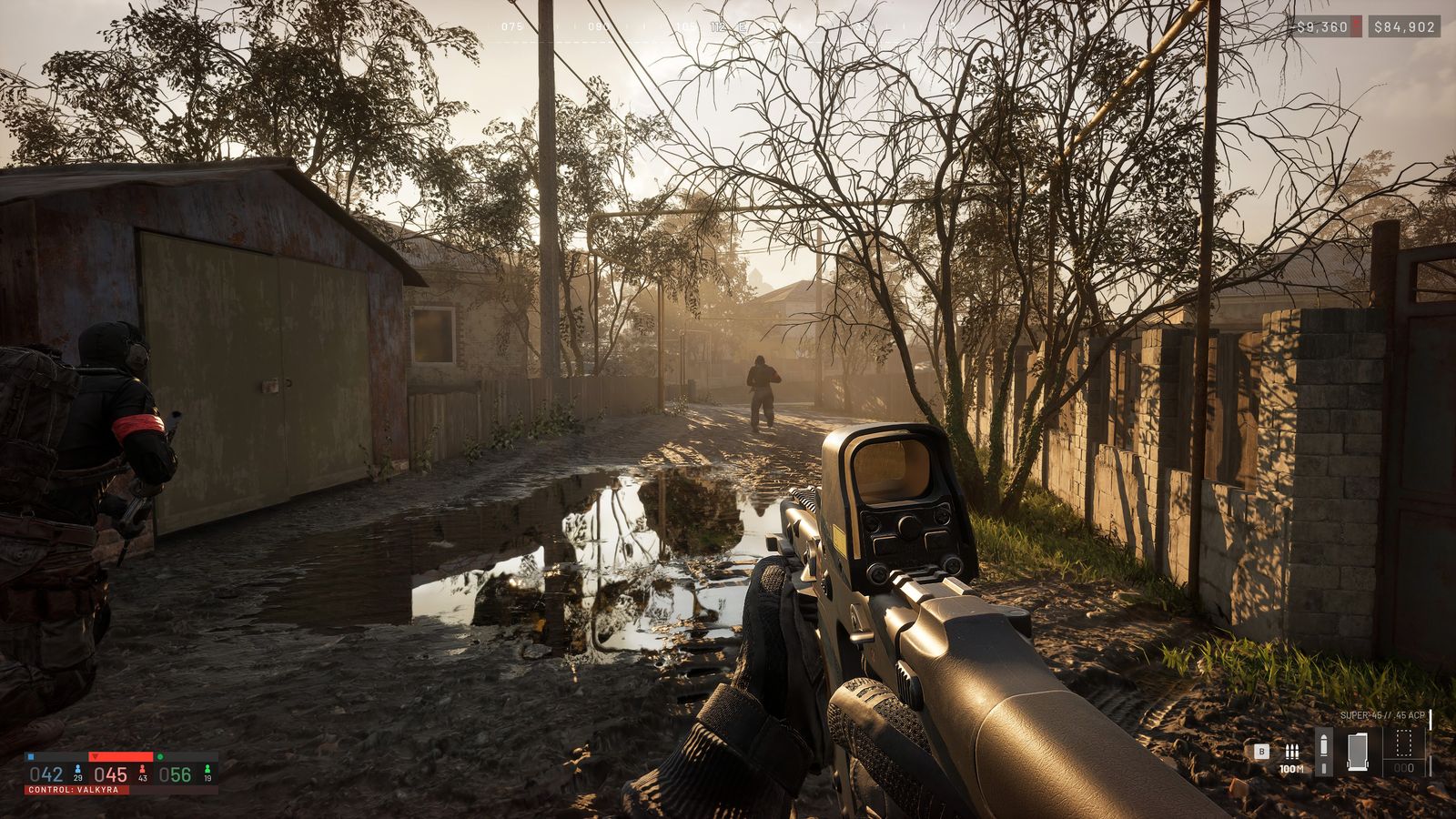
You will be on one of three teams: Lonestar ('the heavy-hitters in the Western paramilitary world'), Valkyra ('aims to return the Soviet People's Republic to greatness') or Manticore ('the Kingdom of Persia, Tehran's shadow army'), in BULKHEAD's own lines. No mechanical differences between them are published. The objective is a 2 × 2 km Control Zone placed at random inside a 256 km² map; the team with the most players inside it scores, and 100 points wins.
Inside the Control Zone is the Hot Zone, smaller and shifting. Stand in it and you count as two players for control and earn double cash. The wiki calls it 'both a tactical and economic objective'. For a first match, the simplest useful thing you can do is get into the Control Zone and stay alive there — PCGamesN's money guide recommends exactly that with a cheap kit: 'attempt to stay put inside the zone for passive income.'
- Most players inside the Control Zone = that team scores. First to 100 wins.
- Hot Zone inside it: each player counts double, cash is doubled.
- Zone location is random each match — the spawn-to-zone drive is long, which is why transport pays.
- Towers in the zone can be captured; a full four-part code from captured towers pulls the Hot Zone toward your tower (PCGamesN).
Your first loadout: spend as little as possible
The pattern the press and the changelog both point to is: cheap kit until you have a cushion. PCGamesN's money guide says the base rifle 'can be purchased from the vendor for nothing — it's only the ammunition that costs money, and it isn't much', and recommends staying in the zone with that setup and looting enemy bodies for upgrades 'because the price of admission for this basic loadout is so low'. Compare that to the Season 1 prices for the things new players covet: a Little Bird with miniguns is $50,000, a 6–10x MOA scope is $45,000, the Artillery Tank is $500,000 and needs Career level 90.
Loadouts are per life. The Steam description: 'Each life, you purchase a custom loadout from a wide selection of weapons, gear, utility, and vehicles.' The 'Big Spender' achievement is for spending $100,000 on a single loadout — 0.1% of players had done it three days in, which tells you how far the ceiling is from the floor.
Four ways to earn in your first match
The wiki's list of paid actions is short: reviving squadmates, transporting friendly players, killing enemies, spotting enemies, controlling the objective. PCGamesN turns that into methods a new player can actually do.
Hold the zone with the free rifle. Passive income for presence, doubled in the Hot Zone. Build at the tower nearest your spawn. 'Grab yourself a hammer from the vendor and hitch a ride to the tower nearest your spawn… Each successfully constructed building earns you Support XP and a bit of cash.' Drive people. 'Ferrying people to and from the zone earns you a decent chunk of change, and any assists your passengers get after you drop them off award you bonus cash.' Use a spawned car before buying one. Park the mobile spawn point. 'If you can drive the mobile spawn point to a safe location inside the zone, you'll earn a decent wedge of cash. Any subsequent spawns to your mobile spawn point will also net you additional money.' The money guide covers the rest, including the supply-crate shop for pilots.
Squads, voice and the people around you
Squads have no size limit ('Unlimited!' in the February FAQ) and give you squad voice, extra UI and vehicle locking. Proximity voice is always on for nearby players — BULKHEAD's phrase is that it makes 'the sandbox 100% player-driven', and the Steam description mentions using it 'to either talk tactics with teammates or troll enemy players'. If your microphone is quiet, that is a known enough problem that a Steam community guide is titled 'WARDOGS – Low Microphone Volume / Mic Being Quiet Fix'; the settings guide has what the patch notes say about voice.
The Season 1 changelog fixed 'voice cutting out permanently after a failed join' and added 'a visible communication status', so if you cannot hear anyone, check that indicator before assuming the server is empty.
Mistakes that cost real money in week one
Buying a helicopter before you can fly one. The changelog notes a 'Z20 Lakota balance pass, and a fix for sluggish pitch' and that 'helicopter input damping now applies to every input device' — flight is a skill with a learning curve, and a crashed $35,000 Lakota is $35,000 gone. A community guide called 'how to fly helicopters' exists for a reason.
Selling junk for XP. Selling a supply-crate item worth under $75 now gives 1 XP instead of 25; the loop is closed. Exploiting a cash bug. Patch 0.11: timed ban and 'we will reset your cash and XP to 0'. Making a tutorial about a cash bug: permanent ban. Expecting to unlock the big items quickly. BULKHEAD's own words: the top 5% 'will need to grind'; level 20 is 250,000 XP.
Where to go next
Once the first match is behind you, the money guide is the natural next page; the towers guide explains the one strategic system the tutorial skips; the classes guide shows the six tracks and what each level unlocks. If the game will not start or the servers are not showing, the crashing and servers pages in the Early Access hub cover what the patch notes and community guides say.
Questions people ask
- Do I lose money when I die in WARDOGS?
- You lose the loadout you bought for that life and must buy again for the next one. Your bank balance is not reduced by a death itself; it is reduced by re-buying.
- How much does WARDOGS give you to start?
- $10,000, per the Steam store and BULKHEAD's FAQ. Cash persists between matches.
- What does the Hot Zone do?
- Inside the Hot Zone each player counts double toward control of the Control Zone and earns double cash (WARDOGS Wiki, Game Mechanics).
- Which team should I pick?
- The three teams had no published mechanical differences in Season 1; they were narrative factions until BULKHEAD's Season 2 preview gave Lonestar a season-only cash and XP bonus (see WARDOGS Season 2). Pick the one your friends are on.
- Is there a free weapon?
- Per PCGamesN's money guide, the base rifle is free from the vendor and only its ammunition costs money.
- How do I get XP as a new player?
- XP is earned across six tracks by the actions you take; building earns Support XP, transport earns Driver/Pilot XP, and so on. The changelog cut XP for air-vehicle kills to 250 and for cheap supply-crate sales to 1.
- Can I play WARDOGS with a controller?
- BULKHEAD's '10 Reasons NOT to Buy' devlog is described as covering 'gamepad support'; the changelog says helicopter input damping 'now applies to every input device'. The Steam store lists no official controller-support badge as of 13 September 2026.
- How big is the map?
- 256 km² per wardogs.com; the Control Zone is 2 × 2 km of it.
- Does WARDOGS have a single-player mode?
- No. The Steam store lists it as multiplayer, online PvP only; the tutorial is the only offline content.
- What are Gold Bars?
- A currency you get by exchanging cash; they buy cosmetics in the Black Market. BULKHEAD says they will never be sold for real money.
- How do I deploy the parachute?
- There is a Deploy Parachute binding in the Keybindings menu; the Sports Parachute item is a Career unlock at level 35 after Season 1.
- How do I get more ammo?
- Ammo is bought with the loadout each life; in the field, supply crates dropped by pilots sell ammo, and enemy bodies can be looted (PCGamesN, PC Gamer).
- How do I change class?
- There are no classes to change. Buy a different loadout on your next life; XP goes to whichever track the items belong to.
Sources & further reading
- Steam store — WARDOGS, read 13 Sep 2026
- Steam — WARDOGS achievements and global unlock rates, read 13 Sep 2026
- BULKHEAD — TOP QUESTIONS (Steam, 18 Feb 2026)
- BULKHEAD — Pre-Load Live & Season 1 Changelog (Steam, 9 Sep 2026)
- BULKHEAD — PRE-ORDER NOW! (Steam, 11 Aug 2026)
- BULKHEAD — Scheduled Maintenance & Patch 0.11 (Steam, 12 Sep 2026)
- WARDOGS Wiki — Game Mechanics (CC BY-SA), read 14 Sep 2026
- PCGamesN — How to make Wardogs money fast (11 Sep 2026)
- wardogs.com — Security and Enforcement (updated 7 Sep 2026)
- GamingOnLinux — WARDOGS developers clarify Linux support (5 Sep 2026)
Read next
- WARDOGS guide
WARDOGS guide hub: how the Control Zone and Hot Zone score, how the $10,000 cash loop and six progression tracks work, and links to nine guides — first match, money, towers, mortar, FOB, classes, vehicles, settings and achievements — each traced to BULKHEAD's patch notes and the official wiki.
- WARDOGS money
WARDOGS money explained from the sources: the paid actions on the wiki, PCGamesN's six earning methods (zone time, building, taxi, mobile spawn, supply crates, looting), the Hot Zone double-cash rule, every Season 1 price change charted, the 5% community-server bonus, and BULKHEAD's ban policy for cash exploits.
- WARDOGS towers
WARDOGS towers explained: where the control-room terminal is, why every tower starts a match on cooldown, how each capture gives one part of a four-digit code, and how the full code on the keypad pulls the Hot Zone to your tower. Plus how towers anchor FOBs and drills. Sourced to PCGamesN's 11 September guide and the official wiki.
- WARDOGS classes
WARDOGS classes explained: roles are set by your loadout, not a class menu, and XP flows into six tracks — Career, Medic, Support, Recon, Pilot, Driver. Full Season 1 XP bands (level 6 to 50), every unlock level the changelog lists (Heavy Tank Driver 35, Artillery Career 90, Large Hammer Support 8), and what BULKHEAD said about the grind.
- WARDOGS best settings
WARDOGS best settings without guesswork: the official 1080p Low / 1440p Medium / 4K targets, what the Season 1 changelog changed about DLSS Frame Generation, shadow quality clamping and the render target pool, the voice-chat fixes and mic-volume issue, controller and helicopter input notes, and what remains unpublished.
- WARDOGS system requirements
WARDOGS system requirements from the Steam listing: minimum Core i5 8600 / Ryzen 5 3500, 16 GB, GTX 1660 / RX 590, 50 GB, Windows 10 for 1080p Low 60 fps upscaled; recommended Core i7 12700K / Ryzen 7 5700X, RTX 3070 / RX 6700 XT, Windows 11 for 1440p Medium 70 fps native or 4K Medium 60 fps upscaled. Download size, Linux, Steam Deck, Mac, and what BULKHEAD changed in the patch notes.
Part of WARDOGS guide. Back to the WARDOGS Playbook home page.

Sukie · Editor
Sukie runs WARDOGS Playbook. She edits every page on the site, checks each figure against BULKHEAD's Steam posts, the store listing and the sources named on the page before it goes up, and rewrites anything a patch note contradicts. The focus is narrow on purpose: what the game actually does, with the source attached.
About this site · How pages are checked · Last updated October 13, 2026
WARDOGS Playbook is an unofficial fan site. It is not affiliated with, endorsed by or associated with BULKHEAD Limited (developer) and Team17 (publisher). Game names, images and trademarks belong to their owners.