
Guide
WARDOGS best settings: what the requirements, the patch notes and the developer actually say about performance, DLSS, shadows, voice and input
Most WARDOGS best settings articles are a list of sliders someone set to Low. This one is limited to what has a source: the performance targets BULKHEAD printed on the Steam listing, the graphics changes it described in the Season 1 changelog and patch 0.11, the studio's own devlog on performance, the voice fixes, and the input notes. It will not tell you a 'best' shadow setting because no benchmark of WARDOGS has been published by anyone we can name — but it will tell you what the game promises at each tier and which settings the developer has said matter.
Read dates: Steam listing 13 September 2026; changelog 9 September; patch 0.11 post 12 September; GamingOnLinux 5 September.
Where a setting is not documented, the page says so rather than recommending a value.
The three official performance targets
The Steam listing states the target for each spec in its 'Additional Notes'. Minimum — Intel Core i5 8600 / AMD Ryzen 5 3500, 16 GB RAM, GTX 1660 / Radeon RX 590, Windows 10, 50 GB — targets '1080p Low @ 60fps (Upscaled)'. Recommended — Core i7 12700K / Ryzen 7 5700X, 16 GB, RTX 3070 / RX 6700 XT, Windows 11 — targets '1440p Medium @ 70fps+ (Native) or 4k Medium @ 60fps+ (Upscaled)'. Note the word 'Upscaled' on the minimum: BULKHEAD expects a GTX 1660 to hit 60 fps at 1080p only with an upscaler on.
So the first setting decision is the preset that matches your card: Low with upscaling on a 1660-class GPU, Medium at native 1440p on a 3070-class one. Everything below those presets is unmeasured territory.
| Tier | CPU | GPU | RAM / disk | OS | Stated target |
|---|---|---|---|---|---|
| Minimum | Core i5 8600 / Ryzen 5 3500 | GTX 1660 / RX 590 | 16 GB / 50 GB | Windows 10 64-bit | 1080p Low @ 60 fps (upscaled) |
| Recommended | Core i7 12700K / Ryzen 7 5700X | RTX 3070 / RX 6700 XT | 16 GB / 50 GB | Windows 11 | 1440p Medium @ 70 fps+ (native) or 4K Medium @ 60 fps+ (upscaled) |
What BULKHEAD says about its own performance work
The July 2026 'Level Design & Performance' devlog: 'Performance has been a priority for the entire team since day one… We've continuously optimised WARDOGS across a wide range of hardware. Graphics options let you tune the experience to YOUR PC.' The February FAQ explains the engine: 'Our custom WAR DYNAMICS FRAMEWORK enhances UE5 to handle high-density 100-player All Out Warfare!… we're heavily conscious of performance & input latency being a major factor in the feel of the game.'
Two things follow for settings. It is Unreal Engine 5, so the usual UE5 costs apply — shadows and global illumination are the expensive items, which is consistent with the changelog spending three lines on shadows. And the studio treats input latency as a feature, which is the argument against frame generation for competitive play; the changelog made that a toggle you can flip without restarting.
Graphics options let you tune the experience to YOUR PC.
— BULKHEAD, Level Design & Performance devlog, 16 July 2026
The graphics settings the changelog actually changed
From 'Performance and stability' in the 9 September changelog, verbatim where it matters:
'DLSS Frame Generation can now be turned off without restarting, and the render target pool is configurable.' 'Reduced shadow cache refreshes, which cuts hitching when you take control of a character.' 'Shadow quality is now clamped to Low on high benchmark scores rather than being switched off entirely.' 'Fixed two crash paths in the frame generation pipeline.' 'GPU crash reports now carry more detail.' 'Removed a legacy graphics dependency.' 'Dropped items no longer affect navigation, which claws back a little performance.'
The shadow line is the interesting one: it says the game runs a benchmark, and that on very fast machines it was previously turning shadows off; now it floors them at Low. So if shadows look flat on a high-end PC, that is the auto-benchmark, and raising the setting by hand is the fix. The DLSS line says Frame Generation was a restart-gated toggle and is not any more — relevant because FG adds latency, which the studio itself flags as central to feel.
One practical reading of that list: the two settings BULKHEAD chose to make live-toggleable or auto-clamped — frame generation and shadows — are the two it considers most likely to be wrong for a given machine.
- DLSS Frame Generation: now toggles live. Off for lowest input latency; on for smoother frame pacing on RTX 40/50-class cards.
- Shadow quality: auto-benchmark clamps to Low on fast machines — raise manually if you want them.
- Render target pool: now configurable (the changelog does not say where or what values).
- Upscaling: assumed on at the minimum spec; the listing's 1080p 60 fps target is 'Upscaled'.
Where the frames go: what 100 players and destruction cost
The Steam description promises that 'the world around you reacts to your presence' — 'Destroy apartment blocks with rocket launchers or tear your way through towns in heavily armoured tanks' — and the February FAQ describes the engine work as handling 'high-density 100-player All Out Warfare'. Those two facts are why the minimum spec is a 1660 with upscaling rather than a 1660 native: destruction and a hundred networked players are CPU and memory costs that graphics sliders do not touch. The changelog's 'Reduced shadow cache refreshes, which cuts hitching when you take control of a character' is a spawn-time stutter fix, and 'Dropped items no longer affect navigation' is a CPU saving; neither is a setting.
The devlog's line that 'playtesters consistently tell us how surprised they are at how well it already performs' is a claim, not a measurement, and the Season 1 changelog fixing 'a crash caused by network calls scheduled off the game thread' shows the network side was still being stabilised the day before launch. For the practical question — what preset — the honest answer stays the Steam table: Low upscaled on minimum hardware, Medium native on recommended, and the FG toggle as the one live lever the developer has drawn attention to.
Crashes that settings can and cannot fix
Patch 0.11 says 'More GPU crashes addressed'; the changelog before it fixed 'two crash paths in the frame generation pipeline', a crash 'caused by network calls scheduled off the game thread', a crash 'when closing a chatbox entry tooltip', 'a crash involving buildables' and 'a crash when firing a weapon whose owner had left'. If you crashed in the beta, most of those are gone. If you still crash with Frame Generation on, the FG toggle is the setting to try first — it is the one component the studio has fixed crash paths in twice.
Crashes that settings will not fix: the anti-cheat 'error 1147405308 Access Denied' and the 'WD-L004' error that Steam community guides address by title, and the login/queue failures of launch day that the hotfix handled. The crashing page in the Early Access hub covers those separately.
Voice: the fixes and the quiet-mic problem
Proximity voice is always on and squad voice is separate. The changelog: 'Fixed voice cutting out permanently after a failed join. Stale channel rejoins, push to talk targeting and re-login all recover properly now. Improved voice reliability under load, and added a visible communication status.' So there is a push-to-talk mode with a target (proximity or squad), a status indicator, and the launch build no longer requires a restart to recover voice after a bad join.
The quiet-microphone issue is real enough to have a trending Steam guide — 'WARDOGS – Low Microphone Volume / Mic Being Quiet Fix' — and a Russian-language one about voice not working over VPN. The official material does not document a mic-gain setting; if yours is quiet, the community guide is the resource, and Windows-level microphone boost is the usual UE5 workaround. We do not print steps we cannot source.
Input: controllers, sticks and helicopters
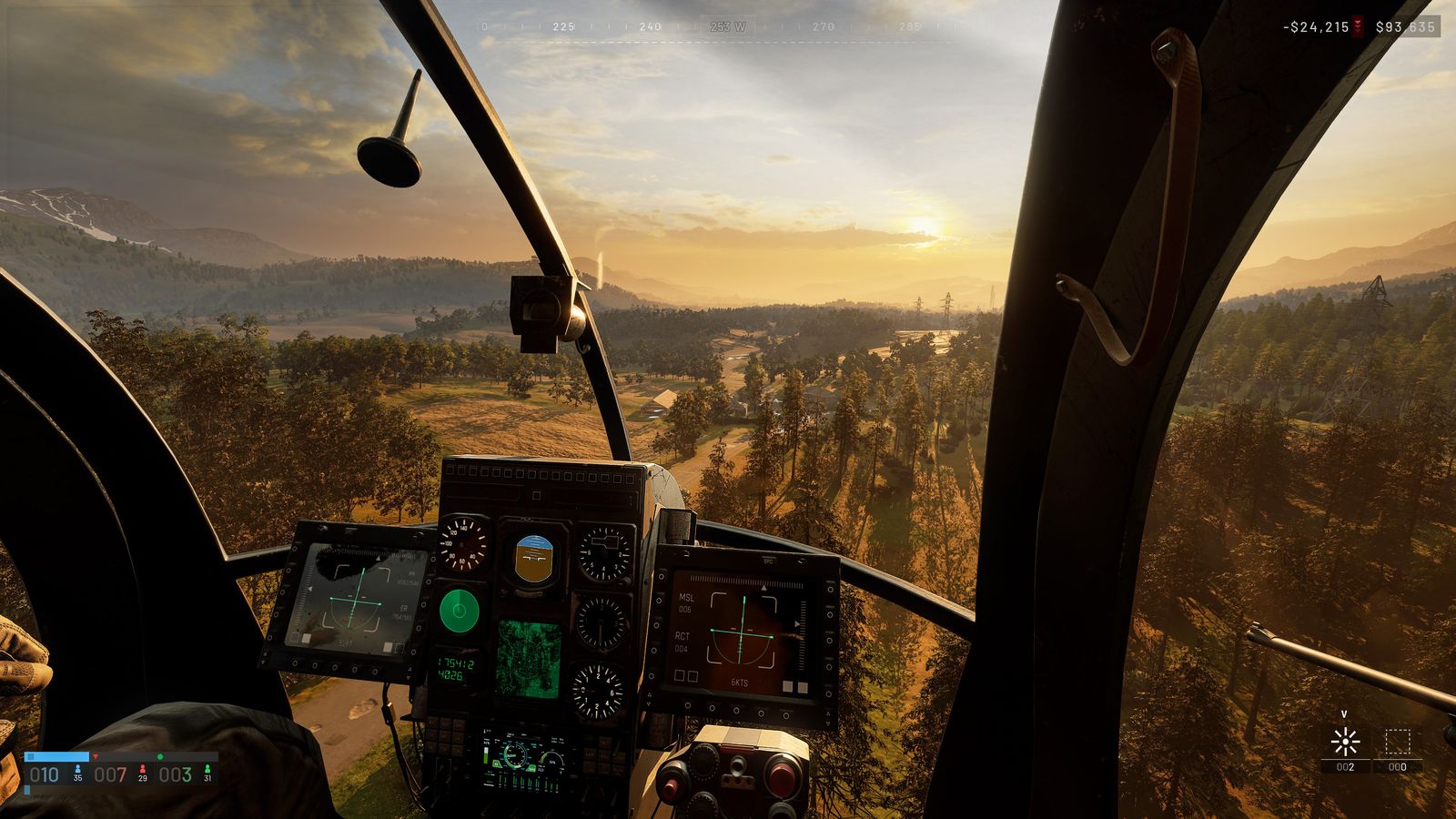
The one place the settings menu is documented by name is a player-written Steam forum FAQ (Grundy, 3 September 2026), which lists under Settings → Controls: Rotary Vehicle Mouse Control, Helicopter Mouse Swipe Left/Right and Up/Down, Invert Y Axis – Air Vehicle, Invert Y Axis – Infantry, Freelook on by Default, and the Flight Assists master switch with Stability Assist and Auto-Hover Assist. It also documents that the Delete key clears a binding, that some bindings are 'globally exclusive' across infantry and vehicles, and that spacebar carries a hidden helicopter weapon function. The helicopter page has the whole list.
BULKHEAD's pre-order post describes its '10 Reasons NOT to Buy' devlog as covering 'local VoIP and gamepad support', and the changelog says 'Helicopter input damping now applies to every input device' and fixed 'a DPI issue affecting tank aiming'. Those are the only official statements on input. The Steam listing carried no controller-support badge on 13 September. Search interest — 'best controller settings', 'joystick support', 'hotas' — outruns what is documented, so: gamepads are acknowledged by the developer, helicopters have damping on all devices, and nothing else is confirmed.
For mouse users, the tank DPI fix matters: if turret aim felt inconsistent between desktop and in-vehicle in the beta, that was a bug, not a setting.
| Statement | Source |
|---|---|
| 'gamepad support' discussed in the '10 Reasons NOT to Buy' devlog | BULKHEAD, 11 Aug 2026 |
| 'Helicopter input damping now applies to every input device' | Season 1 changelog, 9 Sep 2026 |
| 'Fixed a DPI issue affecting tank aiming' | Season 1 changelog |
| No controller-support badge on the Steam listing | Steam, read 13 Sep 2026 |
Platforms, upscalers and what is missing
Anti-cheat is now a documented setting-adjacent fact: the Steam store lists 'Uses Kernel Level Anti-Cheat: Elytra' with a required third-party EULA. A kernel driver that refuses to load — the forum thread 'The anti-cheat service refused the game executable' — is the failure mode the crashing page covers.
Windows only. BULKHEAD to GamingOnLinux, 5 September: 'We do not officially support Linux and we cannot commit to having support for launch. We are still working on Official Linux Proton compatibility.' No Mac. Consoles in 2028 per the launch trailer post. The changelog names DLSS Frame Generation, which implies DLSS upscaling; no source names FSR or XeSS, so we cannot confirm AMD or Intel upscalers even though the minimum spec includes an RX 590 and the target says 'Upscaled'.
Also unpublished: a field-of-view range, HDR support, ultrawide behaviour, and a settings-by-setting frame-time cost. The Steam Early Access Q&A promises that 'our ongoing priority will always be improving balance, performance, and stability'; the settings menu will change, and this page is dated so you can tell when it lags.
Questions people ask
- What are the best settings for WARDOGS on a GTX 1660?
- BULKHEAD's own target for that card is 1080p Low with upscaling on, for 60 fps. Nothing more specific is published.
- Should I turn on DLSS Frame Generation?
- It now toggles without a restart. BULKHEAD stresses input latency; frame generation adds some, so competitive players usually leave it off and use it for smoothness on fast cards.
- Why are my shadows stuck on Low?
- The game's benchmark clamps shadow quality to Low on high scores (previously it switched them off). Raise the setting manually.
- Does WARDOGS support FSR?
- No source confirms which upscalers are offered beyond DLSS; the minimum spec lists an AMD card and a 'Upscaled' target.
- Does WARDOGS have controller support?
- BULKHEAD discussed 'gamepad support' in its pre-launch devlog and applied helicopter input damping to 'every input device'; the Steam listing had no controller badge on 13 September 2026.
- How do I fix quiet voice chat?
- The changelog fixed several voice failures; a community guide covers low microphone volume specifically. No official mic-gain setting is documented.
- Does WARDOGS have a benchmark?
- The changelog refers to shadow quality being clamped 'on high benchmark scores', so the game scores your hardware internally; no separate benchmark mode is documented.
- Is there an FOV slider?
- Not documented. No source lists a field-of-view range, HDR support or ultrawide behaviour.
Sources & further reading
- Steam store — WARDOGS system requirements, read 13 Sep 2026
- BULKHEAD — Pre-Load Live & Season 1 Changelog (Steam, 9 Sep 2026)
- BULKHEAD — Scheduled Maintenance & Patch 0.11 (Steam, 12 Sep 2026)
- BULKHEAD — Level Design & Performance devlog (Steam, 16 Jul 2026)
- BULKHEAD — TOP QUESTIONS (Steam, 18 Feb 2026)
- BULKHEAD — PRE-ORDER NOW! (Steam, 11 Aug 2026)
- GamingOnLinux — WARDOGS developers clarify Linux support (5 Sep 2026)
- Steam Community — WARDOGS guides listing (trending), read 13 Sep 2026
Read next
- WARDOGS guide
WARDOGS guide hub: how the Control Zone and Hot Zone score, how the $10,000 cash loop and six progression tracks work, and links to nine guides — first match, money, towers, mortar, FOB, classes, vehicles, settings and achievements — each traced to BULKHEAD's patch notes and the official wiki.
- WARDOGS system requirements
WARDOGS system requirements from the Steam listing: minimum Core i5 8600 / Ryzen 5 3500, 16 GB, GTX 1660 / RX 590, 50 GB, Windows 10 for 1080p Low 60 fps upscaled; recommended Core i7 12700K / Ryzen 7 5700X, RTX 3070 / RX 6700 XT, Windows 11 for 1440p Medium 70 fps native or 4K Medium 60 fps upscaled. Download size, Linux, Steam Deck, Mac, and what BULKHEAD changed in the patch notes.
- WARDOGS crashing
WARDOGS crashing and startup problems from the sources: the crash classes BULKHEAD fixed in the Season 1 changelog (frame generation, network thread, chatbox, buildables, weapon owner) and patch 0.11 (GPU), the startup-failure messages, the anti-cheat 'Access Denied' error 1147405308 and WD-L004 that community guides cover, the launch-day queue and hotfix, and an order to try things in.
- WARDOGS vehicles
WARDOGS vehicles from the sources: 27 at launch plus four in Season 2 (Wolf-110, Wolf-110 M2, T-72B3, Gepard), with every price, unlock level and destroy reward BULKHEAD has published.
- How to play WARDOGS
How to play WARDOGS from the tutorial to your first paid loadout: what the three teams and the Control Zone mean, what to buy with $10,000, the free rifle, why the Hot Zone pays double, and the mistakes that empty a new account — all sourced to BULKHEAD's posts, the Steam store and the wiki.
- WARDOGS console
WARDOGS console status from the sources: BULKHEAD's launch trailer post says 'coming to consoles in 2028' with no platform named; today it is Windows PC only on Steam. Linux and Steam Deck are unsupported (Proton work in progress), there is no Mac version, and 'war dogs mobile' searches refer to something else. Crossplay, gamepad support and what to expect.
Part of WARDOGS guide. Back to the WARDOGS Playbook home page.

Sukie · Editor
Sukie runs WARDOGS Playbook. She edits every page on the site, checks each figure against BULKHEAD's Steam posts, the store listing and the sources named on the page before it goes up, and rewrites anything a patch note contradicts. The focus is narrow on purpose: what the game actually does, with the source attached.
About this site · How pages are checked · Last updated September 13, 2026
WARDOGS Playbook is an unofficial fan site. It is not affiliated with, endorsed by or associated with BULKHEAD Limited (developer) and Team17 (publisher). Game names, images and trademarks belong to their owners.